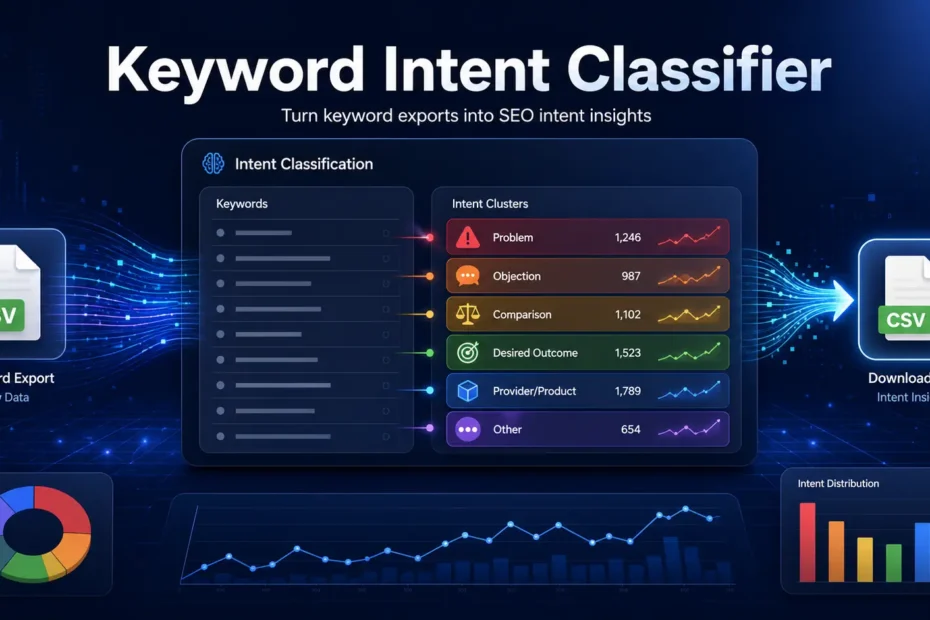
Keyword exports are useful, but they are also usually large, untidy collections of phrases that still require someone to sit down and work out what any of them mean.
Google Search Console, Ahrefs, Semrush and similar tools are very good at producing data. They can tell us what people searched for, how often they searched, where a site appeared and, depending on the tool, how difficult or commercially attractive a keyword might be.
What they cannot reliably tell us is why a query matters to the business.
That part still requires judgement.
I have written before about how to turn search data into market intelligence, rather than treating it merely as an SEO reporting input. The Little SEO Helper Keyword Intent Classifier deals with one small part of that process.
It is a Streamlit app that takes a CSV or Excel keyword export and sorts the queries into traditional search-intent categories as well as a set of more practical strategic buckets. The results can be filtered inside the app and downloaded again as a CSV.
Nothing revolutionary. Just less manual sorting.
The problem with keyword exports
Most keyword research begins with too much data.
That may sound like a better problem than having no data, but it is still a problem. A typical export might contain hundreds or thousands of queries. Some are relevant, some are not, and some look promising until you examine the search results. Others appear insignificant but reveal a genuine customer concern.
The spreadsheet does not tell you which is which.
This is where keyword research often becomes an exercise in labelling rather than thinking. Keywords are tagged as informational, commercial, transactional or navigational. The columns are coloured, filters are applied, and a chart may appear if somebody is feeling particularly industrious.
Yet the strategic question remains unanswered: what should the business actually do with this information?
Traditional intent labels have their place, but they are often too broad to guide content and commercial decisions on their own. An informational query could be an early-stage question, a serious objection, a product-support issue or someone researching a purchase they intend to make next week.
Calling all of those searches informational is technically tidy. Strategically, it does not tell us very much.
Looking beyond traditional search intent
The classifier still includes the familiar informational, navigational, commercial and transactional categories. They provide a broad indication of what the searcher appears to be doing, and there is no reason to discard them simply because they are imperfect.
The app also looks at queries through a different lens. It sorts them into problems, objections, comparisons, desired outcomes, provider- or product-seeking searches, and a final “other” category for queries that remain unclear.
These categories are not intended to replace proper analysis. They are there to make the first pass through a large export less tedious and, with luck, slightly more useful.
A problem-led query expresses a pain point, issue, need or challenge. These searches matter because they reveal the situation that may eventually create demand for a product or service.
They are not necessarily commercially valuable on their own. Some may sit a long way from a purchase, while others may attract people who will never become customers. That does not make them worthless.
Problem-led searches can show how potential customers describe their situation before they understand the available solution or know the language used by the industry. That wording can inform articles, service pages, sales conversations, product messaging and customer research.
Often more usefully than another brainstorming session about content pillars.
Objection-led queries reveal doubt, concern, perceived risk, price sensitivity or a lack of trust. They are easy to overlook because they do not always resemble conventional target keywords, but they can be useful for pricing pages, FAQs, case studies, comparison content, sales materials and service-page copy.
They tell you what might prevent someone from choosing a provider.
Most businesses spend plenty of time explaining why people should buy and rather less time addressing why they might not. Search data has a habit of making those doubts rather difficult to ignore.
Comparison queries involve brands, products, providers, alternatives or different ways of solving the same problem. They often appear near a decision, although not always as near as SEO tools like to imply.
These searches can support comparison pages and other bottom-of-funnel content, but only where the business has something useful and honest to say. A thin “us versus them” page in which the company mysteriously wins every category is not useful comparison content.
It is advertising with a table in the middle.
Desired-outcome searches describe the result someone wants rather than the service or product they believe they need. That result might be an improvement, a benefit, a transformation or a measurable business outcome.
This distinction matters because companies tend to organise websites around what they sell, while customers often search around what they want to change.
A consultant may describe a service using a recognised industry term. The potential customer may simply search for a way to fix an expensive problem. Both phrases can refer to the same need, but they represent rather different levels of understanding.
Provider- or product-seeking searches suggest that someone is actively looking for a consultant, company, service, tool, product or shop. They often carry clearer commercial intent, but the label alone does not mean every query deserves a landing page.
Search demand, business relevance, competition, the composition of the results page and the company’s ability to create a genuinely useful page still matter.
The classification is a signal, not an instruction.
Some queries, of course, remain unclear. This is not a flaw unique to the tool. Human beings are also quite capable of producing vague searches.
A two-word query may mean several things depending on the searcher, market, location and results page. Forcing every keyword into a confident category creates the appearance of precision without the substance.
The “other” category exists because sometimes the honest answer is that a query needs further review. A surprisingly unfashionable position in software.
What the classifier can help with
The app is intended to make an initial keyword review faster and more consistent. It can process CSV and Excel exports from Google Search Console, Ahrefs, Semrush and similar tools, including common UTF-8 and UTF-16 CSV formats.
After uploading the file, you select the column containing the keywords or queries. The tool then adds both the strategic classification and the traditional search-intent label. The results can be filtered in the browser and downloaded again as a CSV.
This can make it easier to isolate problem-led content opportunities, recurring objections, comparison searches, desired outcomes expressed in market language and provider-seeking queries with clearer commercial potential.
The resulting groups may be useful for content planning, service-page research, briefs, SEO roadmaps or client reporting. More importantly, they can help reveal patterns that would otherwise remain buried in a large spreadsheet.
The main benefit is not that the app produces a finished strategy.
It does not.
It reduces some of the repetitive sorting required before the more important work begins.
What it does not do
The classifier does not replace search-results analysis, nor does it understand the business as well as the people running it.
It cannot tell you whether a keyword is profitable, whether the company can compete for it or whether ranking would produce anything beyond a flattering traffic graph. It also cannot decide whether the real issue is content, structure, messaging, positioning, authority or internal priorities.
Those are questions for human judgement and, where the situation is more complicated, strategic SEO consulting rather than another automated label.
The classifications still need to be reviewed. Language is ambiguous, intent changes, and similar queries can mean different things in different markets. Search-result pages do not always reflect the neat category assigned by a tool.
Automated classification is useful for spotting patterns. It becomes less useful when treated as absolute truth.
This should not be controversial, although the SEO software industry has made a reasonable living by encouraging people to confuse tool output with certainty.
Why I built it
The app came from a familiar problem. I had keyword exports that needed sorting into categories that were more useful than the standard search-intent labels.
Doing that manually was possible. Doing it repeatedly was simply poor use of time.
It is a helper. The name is deliberate.
From keyword classifications to business decisions
The app should make a spreadsheet easier to interpret, but the final decisions still belong to the person doing the work.
A group of problem-led keywords might suggest an article, a guide, a section on a service page or no new content at all. Objection queries may reveal that the real issue is weak pricing communication, unclear positioning or a lack of evidence.
Comparison searches might justify new pages, but they might also show that existing service pages are failing to explain the differences customers care about. Provider-seeking searches could support a commercial landing page, or they might expose a market the business does not actually want to serve.
This is where classification ends and interpretation begins.
For experienced in-house teams and agencies, the useful next step is often to pressure-test what those patterns imply before another collection of tasks finds its way into the roadmap. That is the sort of situation where an SEO sparring partner can be useful: not to provide more keyword suggestions, but to challenge the interpretation and the decisions that follow.
That is why classification matters. Not because every query needs a label, but because useful categories can help connect search behaviour with content, sales, product and positioning decisions.
That is the part of keyword research worth preserving.
The rest is largely spreadsheet administration.
If the spreadsheet problem is missing image alt text rather than keywords, I have also published a free Codex workflow for reviewing missing alt text from Screaming Frog exports.
Try the Little SEO Helper
You can upload a CSV or Excel keyword export, select the relevant column, review the classifications and download the filtered results.
Open the Keyword Intent Classifier
Treat the output as a starting point and apply some judgement before applying it to the website.
Software remains stubbornly reluctant to understand your business for you.